Product Guides
Reordering Custom Ear Tags: Match Models, Numbering and Packing
Prepare a clear custom ear tag reorder with model references, matching components, numbering instructions and packing details before confirming production.
“The same ear tags as last time” is a useful starting point, but it is not a complete reorder instruction. A repeat purchase may need the same physical model with a new numbering range, different quantities by color or revised packing. Sending one current reorder sheet helps the buyer and supplier distinguish what stays the same from what changes.
This guide covers replenishing stocks of custom visual livestock ear tags. It does not provide instructions for replacing an animal’s official identification or reusing identification numbers under a regulated scheme.
1. Identify the previous approved product
Start with the previous purchase order or quotation reference, the supplier’s model code and the approved sample reference. Include clear photographs of the front, back and fastening parts. A color description or a picture of the printed face alone may leave the component combination unclear.
If you are moving to another supplier, describe the request as a model comparison rather than an exact repeat until the new combination has been confirmed. Ask the supplier to identify any differences from your reference. Our ear tag catalogue guide explains how to separate panel dimensions, male components and model codes.
2. Confirm both components and the applicator
Write down the female tag model and the matching male component separately. State whether the order quantity means complete sets or individual pieces. If only one component is needed, name that component explicitly and ask the supplier to review the proposed match.
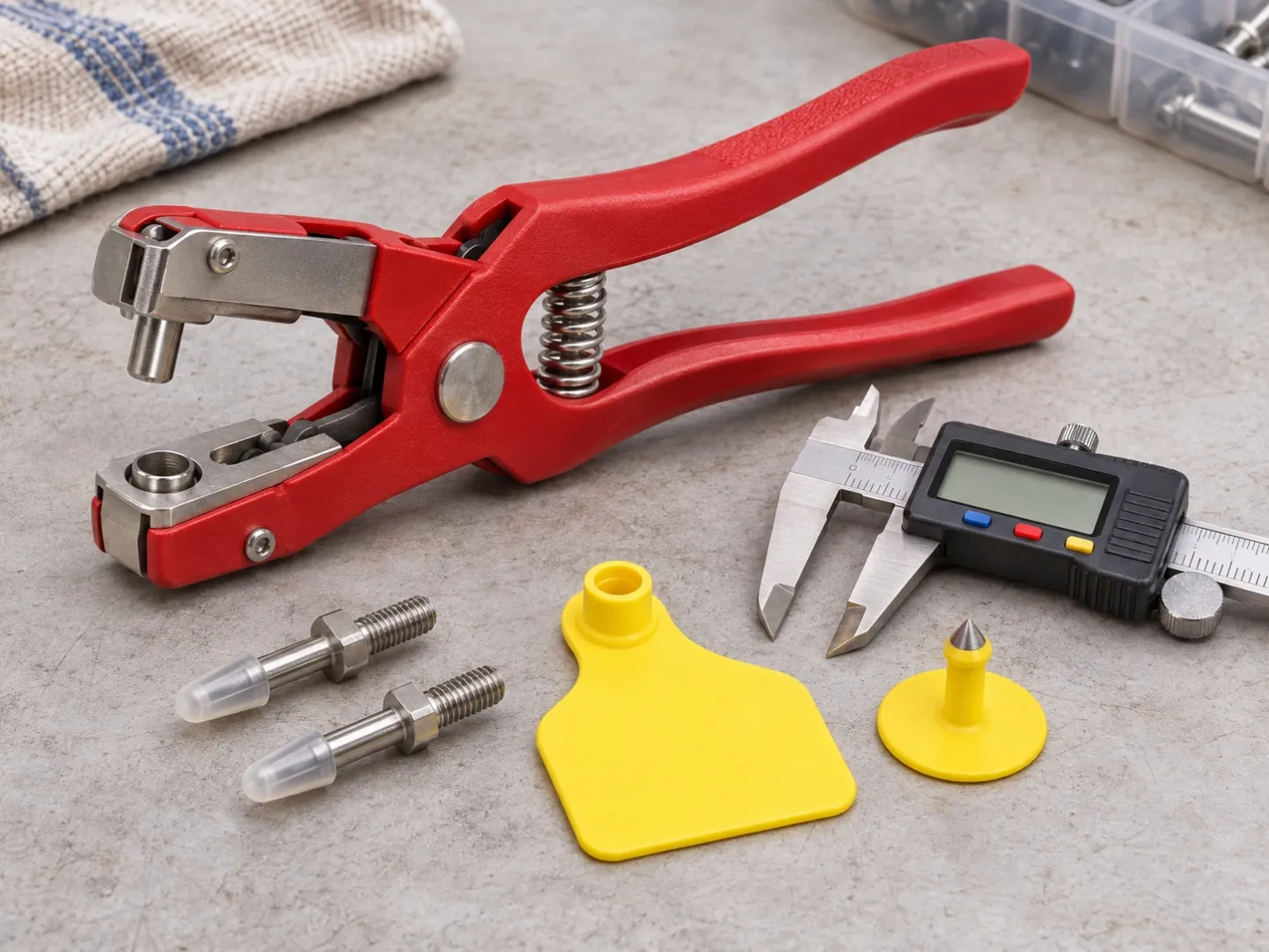
Do not assume parts from different models or suppliers are interchangeable because they look similar. If you plan to keep using an existing applicator, provide its model and clear photographs of the pin and jaws. Ask for confirmation against the tag combination being quoted. The applicator compatibility checklist can help organize these questions.
3. Give the new order its own numbering instructions
Keep the previous marking file as a reference, but identify the exact file approved for this order. State whether the new order continues a sequence, uses a new prefix or intentionally repeats a specified code. Never leave “same numbering” open to interpretation.
For example, an earlier purchase of DEMO-0001 through DEMO-0500 could be followed by a proposed new range of DEMO-0501 through DEMO-1000: 500 codes with both endpoints included. This is a file-planning example, not a recommendation to use that format for official animal identification.
If a distributor supplies several customers, specify whether IDs must be unique across the entire purchase or within each customer group. Check the new file against your earlier order records. See the custom ear tag numbering guide for leading zeros, duplicates and packing groups.
4. Make changes visible on the reorder sheet
Use a separate line for each model, color and marking combination. Alongside the new requirement, add a short change note such as “quantity revised,” “new numbering file” or “packing unchanged.” If nothing has changed for an item, still identify the approved specification you want repeated.
Useful fields include:
- Previous order reference and current item reference.
- Female tag model, male component and agreed dimensions.
- Quantity, stated as complete sets or individual pieces.
- Color reference and current artwork or numbering-file revision.
- Pieces or sets per bag, bag labels and carton groups.
- Applicator or spare-pin requirements.
- Destination country and requested delivery basis.
Check the total quantity against the numbering file and packing plan. Keeping these references together makes discrepancies easier to resolve before production.
5. Review changes before approving production
Ask the supplier to confirm whether the quoted product, material, marking process or component combination differs from the previous approved version. Decide which differences need a new layout proof or physical sample. An old approval should not silently cover a changed specification.
A physical reference sample helps with comparison, while a current marking proof helps confirm the new text and layout. They answer different questions. Use the ear tag sample approval checklist to record the approved version, checked items and open points.
6. Request a current quotation and a clear order confirmation
Ask for current pricing, minimum order quantity, sample arrangements, production lead time, packing and delivery terms. State the date you need the goods and ask the supplier to confirm a feasible schedule. A previous quotation is a reference for discussion, not confirmation of current availability or terms.
For a product comparison, browse the livestock ear tag range or review the MK2006+GY1001 cattle ear tag. Confirm the exact model and component combination for your order.
Copyable Ear Tag Reorder Request
Please quote a repeat order against previous reference [reference]. We need [quantity and unit] of [female tag model + male component], in [colors]. Use numbering file [revision] and artwork [revision]. Changes from the previous order are [list changes or state unchanged items]. Packing requirements are [details]. Destination is [country], and the requested delivery basis is [basis]. Please confirm any specification differences, sample or proof requirements, current price and lead time before production approval.
Attach reference photographs and the current files. Keep the final confirmed specification with your order record so the next reorder starts from an identifiable approved version.